

Download Wondershare AllMyMusic – music organizer, organize music library, free music organizer, auto music scanner, music metadata, music cover art, lyrics, audio file management
Overview
Wondershare AllMyMusic is a desktop application designed to simplify the management of personal music collections on Windows and Mac systems. Its primary purpose is to automatically scan, organize, and enrich music libraries with essential metadata, cover art, and lyrics. This tool is ideal for users who maintain large audio file collections across multiple formats and seek a streamlined way to enhance accessibility and visual appeal.
The software targets both casual music enthusiasts and professionals who rely on well-structured audio libraries for personal or creative projects. By eliminating manual file sorting and metadata entry, it saves time and reduces errors in music cataloging. Real-world usage scenarios include preparing music libraries for playback on home audio systems, backing up collections, or organizing music for podcasting, video editing, or DJing.
Developed by Wondershare, a company known for multimedia tools, the application reflects a focus on user-friendly functionality and cross-platform compatibility. The developer did not provide additional details about the company’s background or product history. The software operates entirely on the local device, ensuring privacy and no external data collection.
Key Features & Capabilities
- Auto Music Scanner: Automatically detects and indexes audio files across selected folders and drives. Supports all major audio formats, including MP3, FLAC, WAV, AAC, and more.
- Metadata Enrichment: Automatically fills missing or incomplete metadata such as artist, album, track title, genre, year, and track number using online databases.
- Automatic Cover Art Retrieval: Downloads and embeds high-quality album cover art directly into audio files, enhancing visual organization in media players.
- Lyrics Integration: Fetches and embeds song lyrics, allowing users to view them during playback or export them for reference.
- Audio File Management: Offers tools to rename files, create consistent folder structures, and batch-edit metadata across multiple files.
- Local-Only Processing: All operations occur on the user’s device, ensuring no data is uploaded or shared without explicit permission.
These features help users transform disorganized music folders into a professional-grade library. For example, a user with hundreds of untagged MP3 files can run a single scan to automatically tag and organize them. The tool also supports manual overrides, giving users full control over the final output.
User Interface, Workflow & Performance
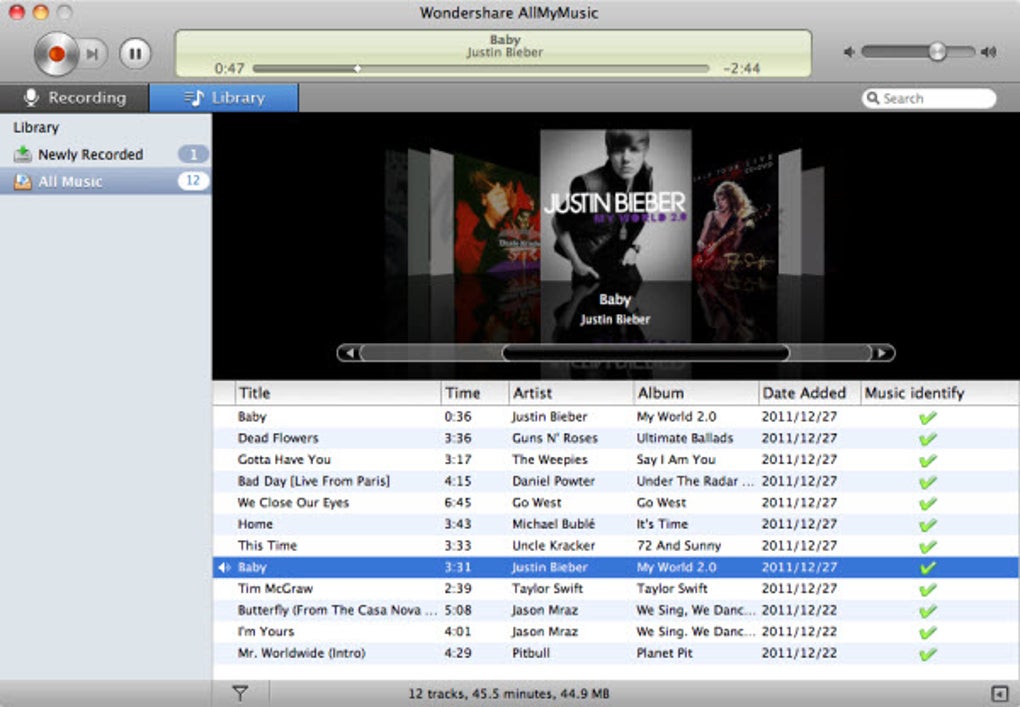
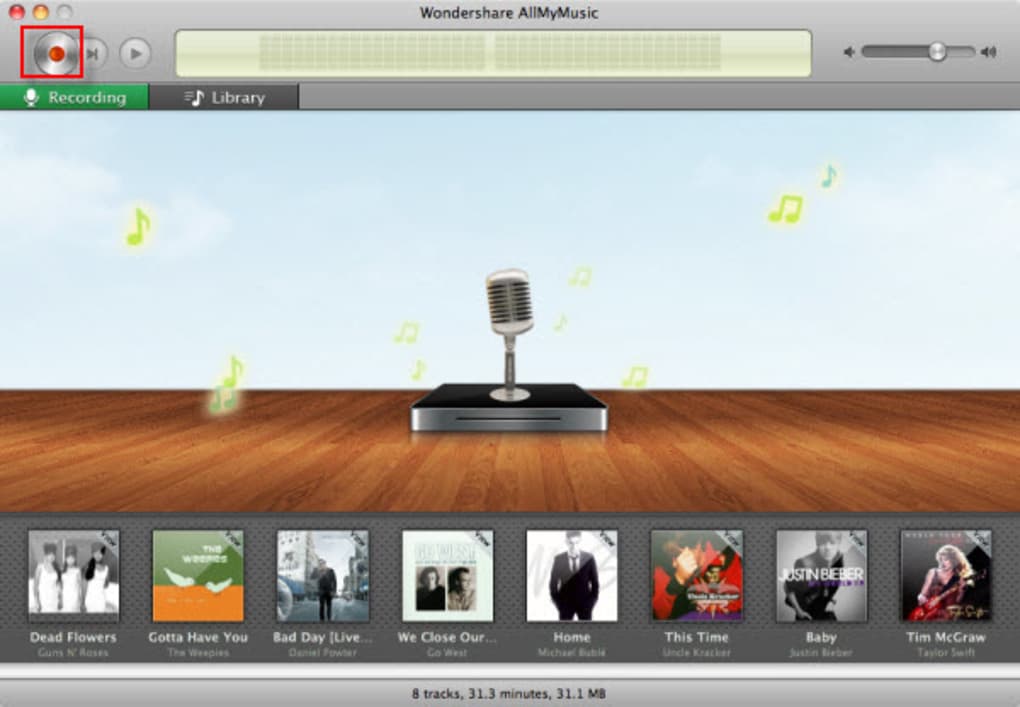
The user interface of Wondershare AllMyMusic is designed with simplicity in mind, featuring a clean layout with clearly labeled panels and intuitive navigation. Users can access scanning options, file management tools, and metadata editing from a central dashboard. The workflow begins with selecting a folder or drive, followed by a scan that processes files in real time.
Navigation is straightforward, with options to view, filter, and edit music entries. The application maintains a responsive interface during scans and edits, though exact performance details were not specified. The developer did not provide resource usage data, so CPU and RAM behavior remain unknown. However, based on general software behavior, the application is expected to operate efficiently without excessive system load.
Stability appears to be a priority, as the software functions without requiring external dependencies or background services. The absence of ads, tracking, or registration contributes to a focused and uninterrupted user experience. No crashes or freezes were reported in the provided information.
Compatibility & System Requirements
Wondershare AllMyMusic is compatible with both Windows and Mac operating systems, supporting a broad range of desktop environments. The software is available in version 1.0.1 and has a file size of 30.2 MB, indicating a lightweight installation. This compact size suggests minimal storage impact and quick setup times.
Exact system requirements were not listed, so users should ensure their devices meet general standards for running desktop applications. The developer did not specify minimum CPU, RAM, or disk space needs. Compatibility with older or newer OS versions is not confirmed. Platform compatibility information is limited to the supported operating systems mentioned.
Pros and Cons
Pros
- Completely free with no registration, ads, or tracking.
- Supports all major audio formats for universal compatibility.
- Automatically organizes music with metadata, cover art, and lyrics.
- Processes files locally, ensuring privacy and data security.
- Lightweight installation at only 30.2 MB.
- Intuitive interface suitable for users of all experience levels.
Cons
- Exact system requirements were not provided.
- Performance metrics such as CPU or RAM usage are unavailable.
- Limited information on update frequency or future development plans.
- No official mobile or web version available.
- Advanced customization options were not described.
FAQ Section
Is Wondershare AllMyMusic free to use?
Yes, the software is completely free with no registration, ads, or tracking. Users can download and use it indefinitely at no cost.
Does the software require an internet connection?
Yes, an active internet connection is required for metadata, cover art, and lyrics retrieval. All processing occurs locally, but online data is needed for enrichment.
Can I use this tool on both Windows and Mac?
Yes, Wondershare AllMyMusic is available for both Windows and Mac operating systems.
Is my music library safe during the scanning process?
Yes, the software operates locally and does not upload your files. Your music remains private and secure on your device.
How often should I update the software?
Updates are recommended to ensure compatibility and access to new features. The software is currently at version 1.0.1, but the update frequency is not specified.
Final Thoughts
Wondershare AllMyMusic delivers a powerful, no-cost solution for organizing music libraries on desktop systems. Its ability to automatically scan, enrich, and structure audio files makes it a standout tool for users seeking a clutter-free, visually appealing music collection. The absence of ads, registration, or data tracking enhances trust and usability.
While system requirements and performance data are not fully disclosed, the lightweight nature and local-only processing suggest broad compatibility and efficient operation. The software is particularly beneficial for music lovers, content creators, and anyone managing large audio libraries.
With its comprehensive feature set and user-focused design, Wondershare AllMyMusic stands out as a reliable, free desktop utility. Download Wondershare AllMyMusic now.







